Cover

About Me

2019
Became a CPA
Passed all sections of the CPA exam
90+
High Scorer
Scored 90+ on all CPA exam sections
2020

Founded Maxwell CPA Review
Launched my own CPA review company. Since then, helped 1,500+ students to pass their exams.
YouTube Channel Success
Research Poster - Vibe Coding Results

AI Usage Gap Analysis

Total AI Users
58%
of employees say they use AI tools at work
VS
Daily AI Users
17%
use AI tools every single day

Protecting Private Financial Information

70% of accounting professionals are concerned about data security when evaluating AI tools. Source: Karbon (2025)
OpenAI Demo
AI Tool
AI Tool
Cursor generates automation code
Writes Code
Script
Script
Python automation that protects your data locally
The Bridge
Excel
Excel
Your private financial data stays local
Data Stays Safe
WHAT'S A SCRIPT?

Think of a script like a recipe that your computer can follow.
Example: Bank Statement Cleanup Recipe
1
Open the Excel file
2
Delete the first 2-3 header rows with bank logos and disclaimers
3
Find columns with dates like "12/31/2024" and change them all to "2024-12-31"
4
Look through the Description column and remove extra spaces
5
Find any duplicate transactions and delete them
6
Save the file with a clean name like "Bank_Clean_Dec2024.xlsx"
Script Demo

Vibe Coding

Coding without being a coder. You give instructions in everyday language, and the technology creates all the code.

💬

You Say

"Clean up this Excel file and remove duplicates"

Technology Creates

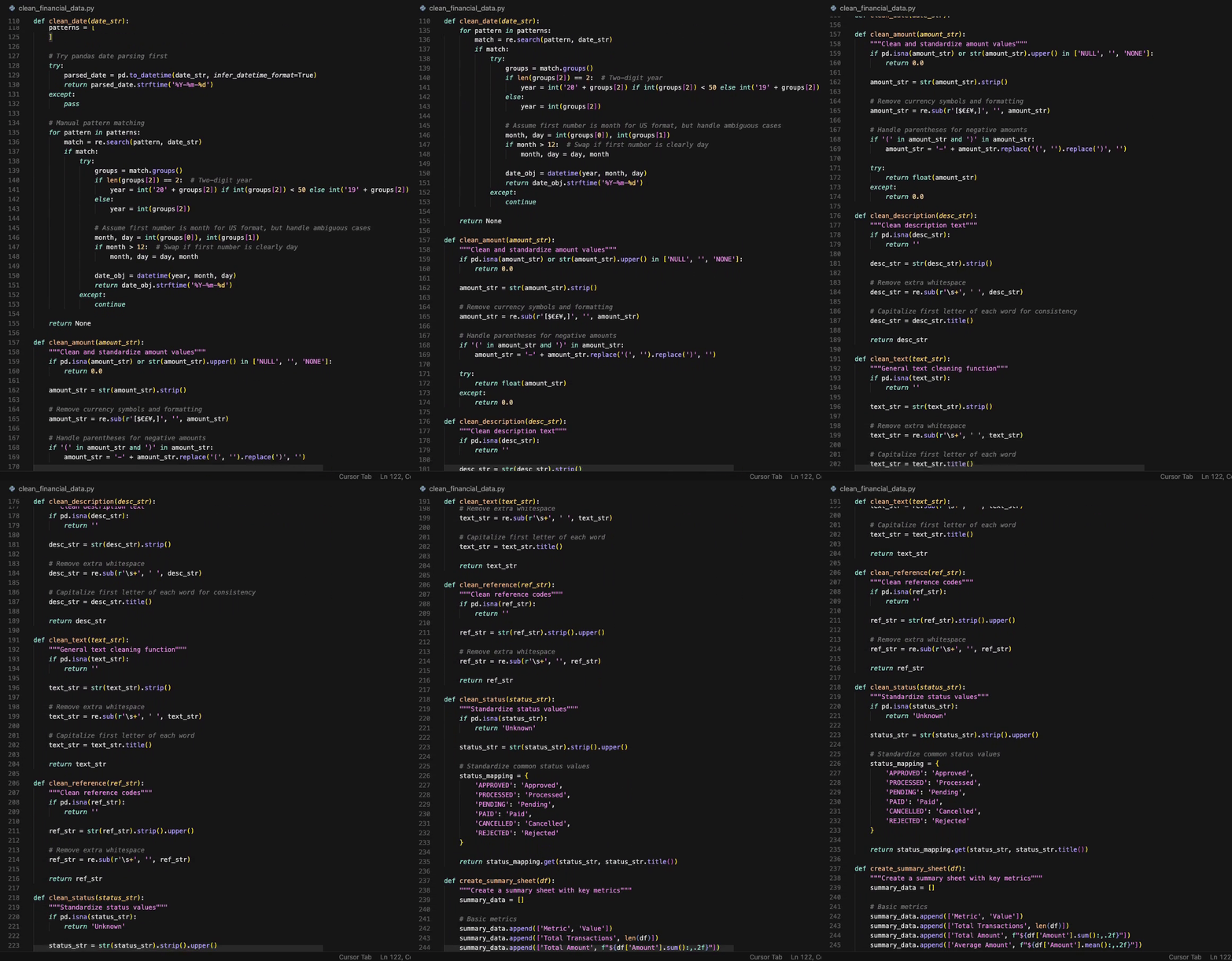
Complete Python automation script

AI IS THE ORCHESTRA, YOU ARE THE CONDUCTOR

YOU
The Conductor
You set the direction, tempo, and vision.
=
AI
The Orchestra
Powerful instruments ready to perform—waiting for your direction.

The Conductor's Workflow

1

DIRECT (You)

2

EXECUTE (AI)

3

REVIEW (You)

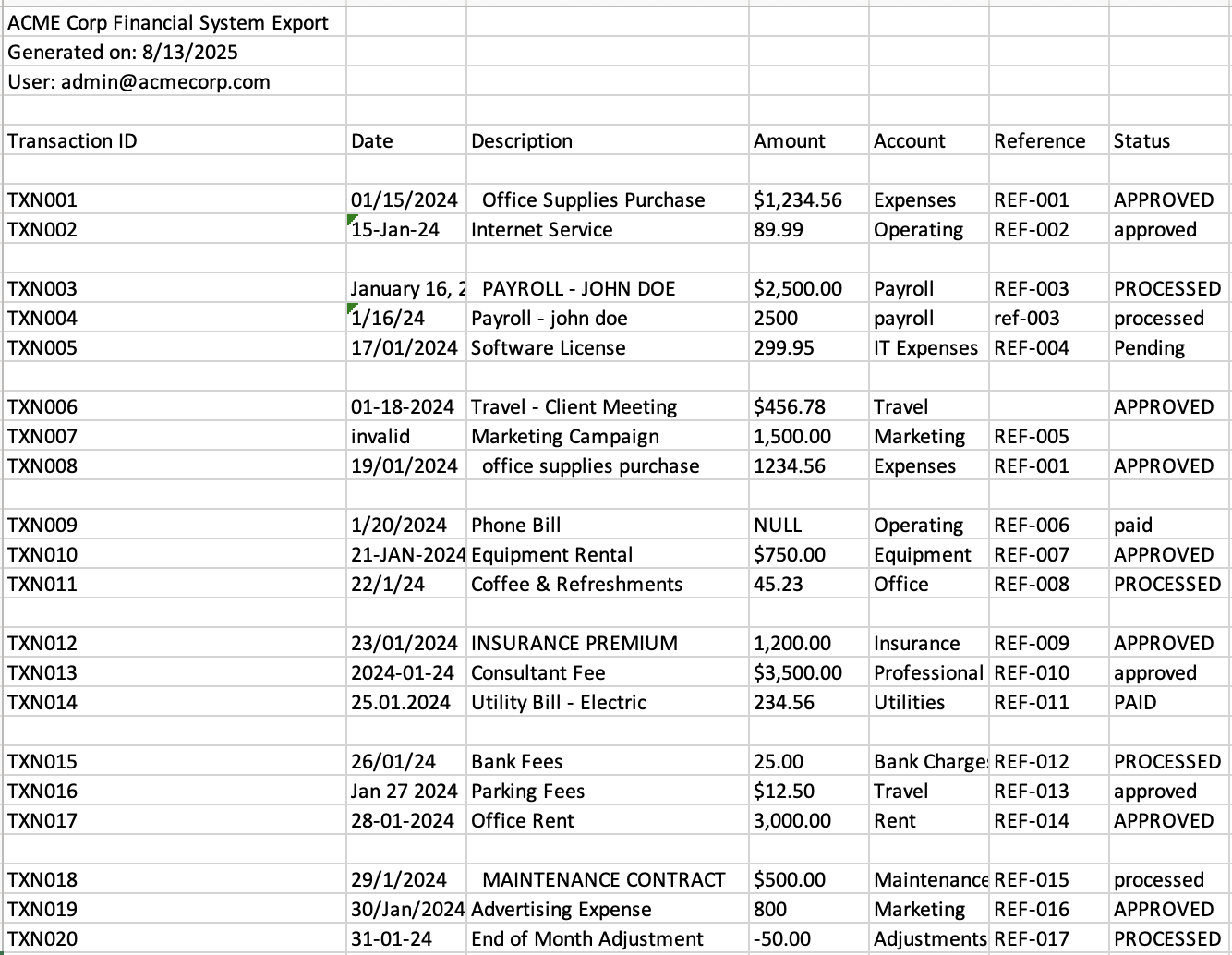
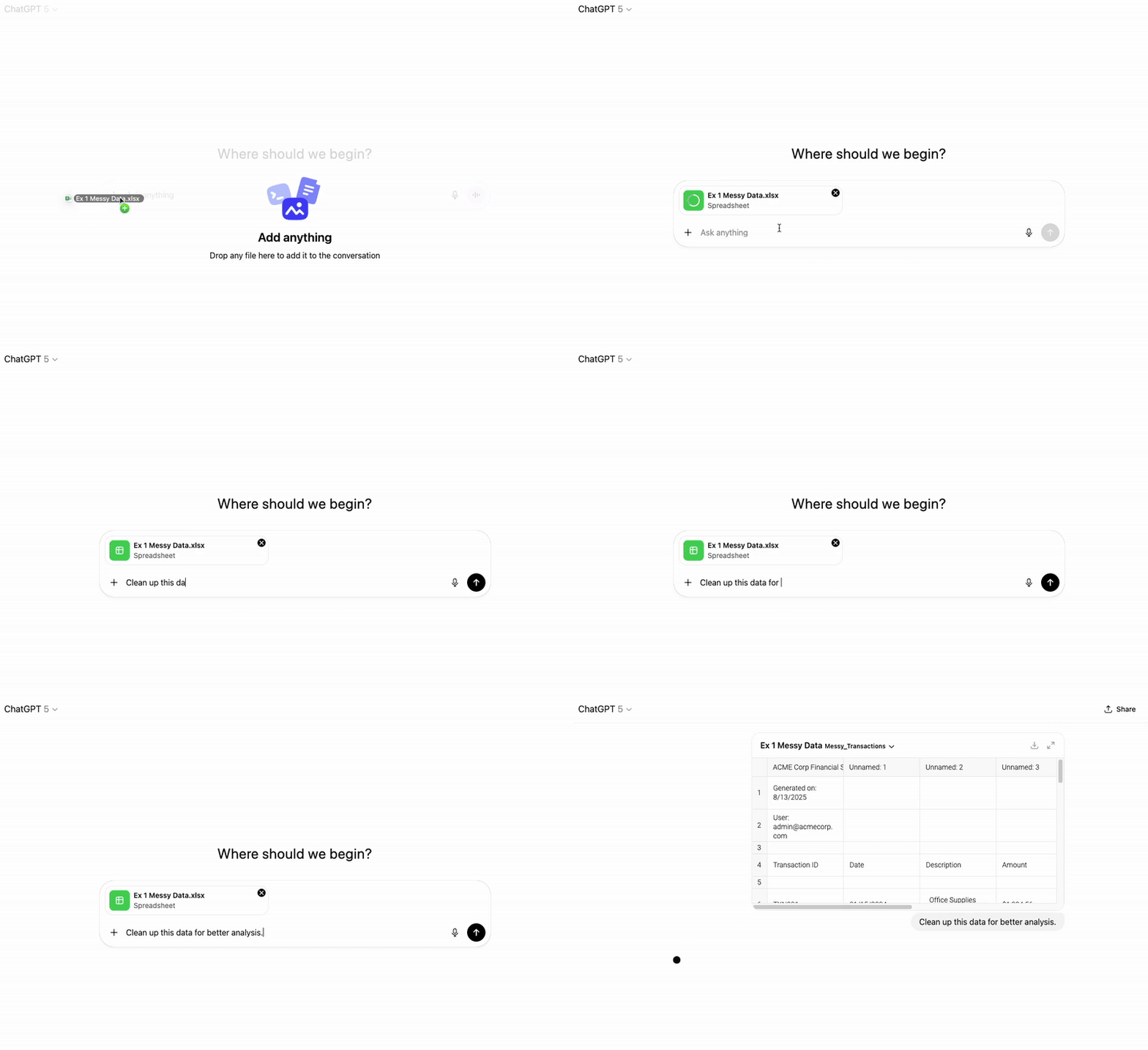
1st Example: Cleaning Messy Data

Excel Cleaning Example

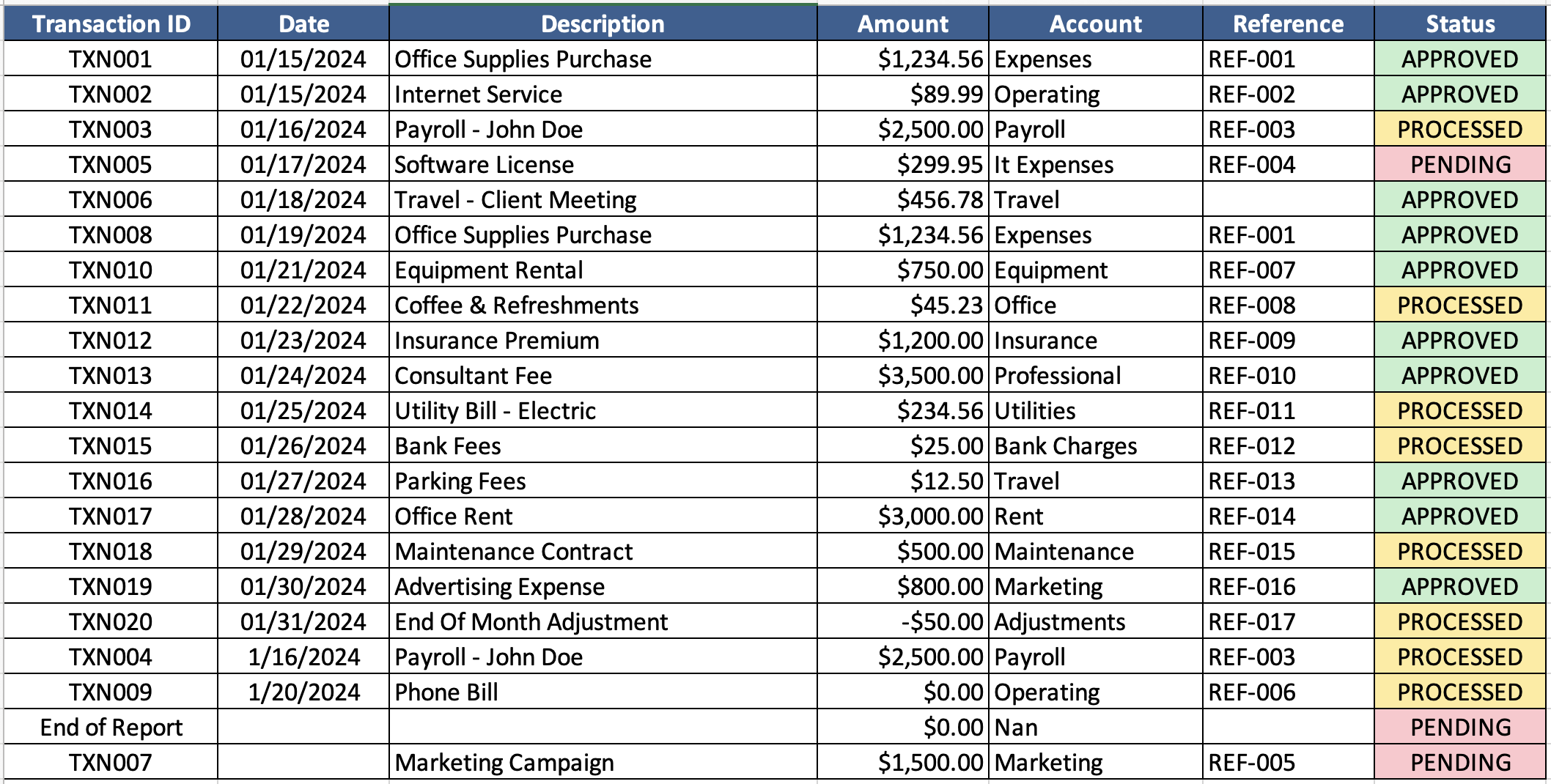
1st Example: Result

Excel Cleaning Result

2nd Example: Categorizing GL Details
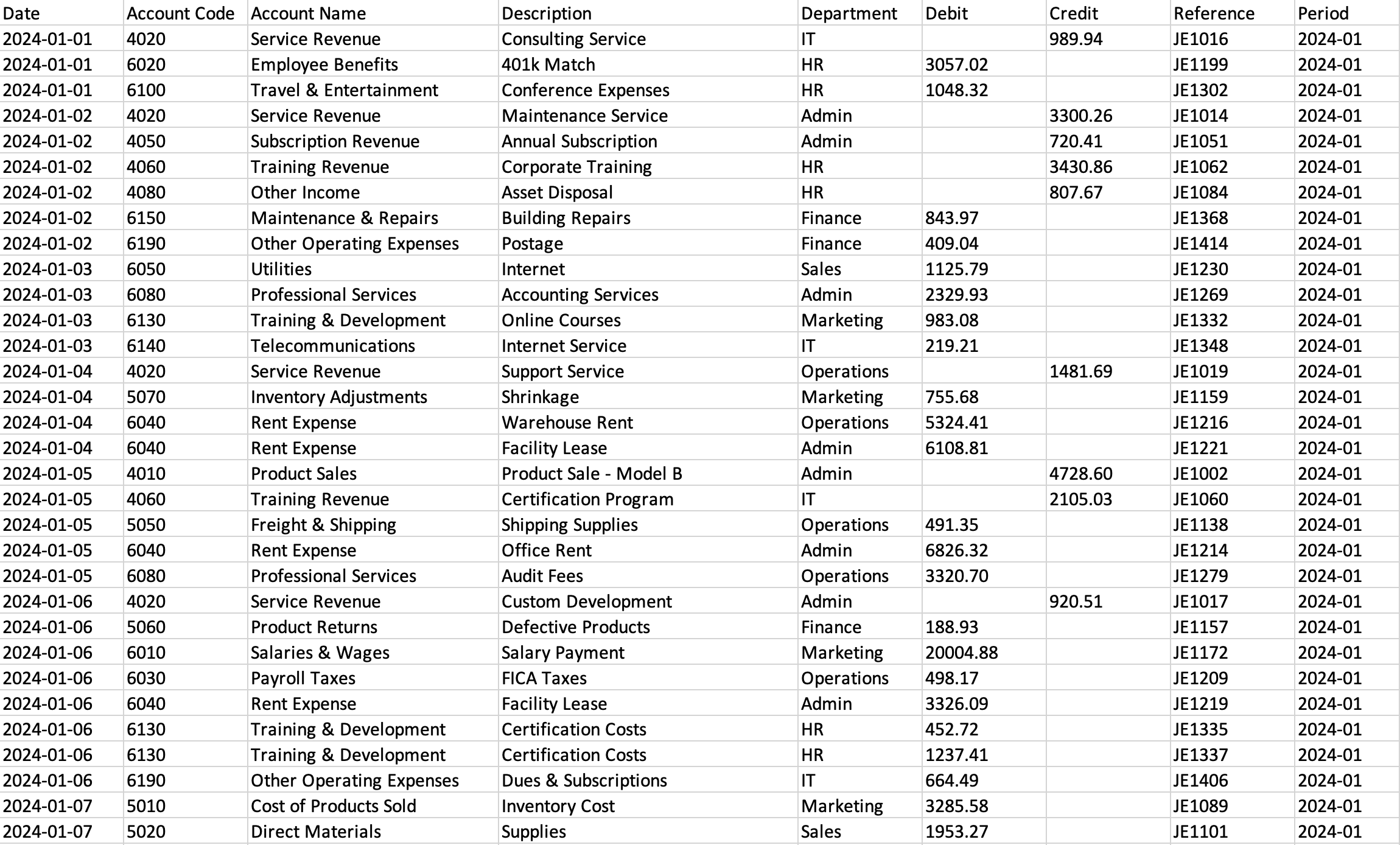
Excel GL Categorizing Example

2nd Example: Result

Excel GL Categorizing Result

3rd Example: Comparing Two Excels
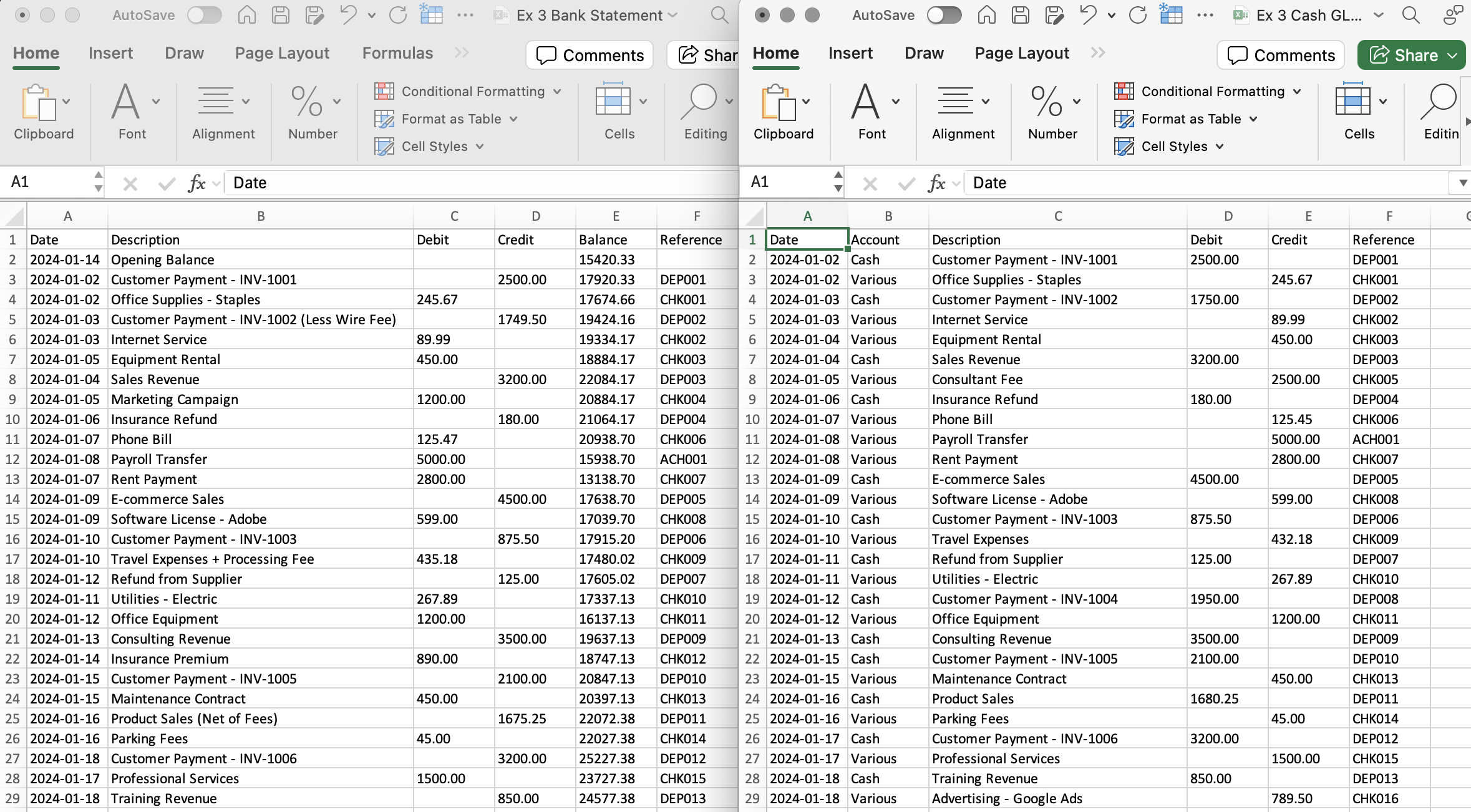
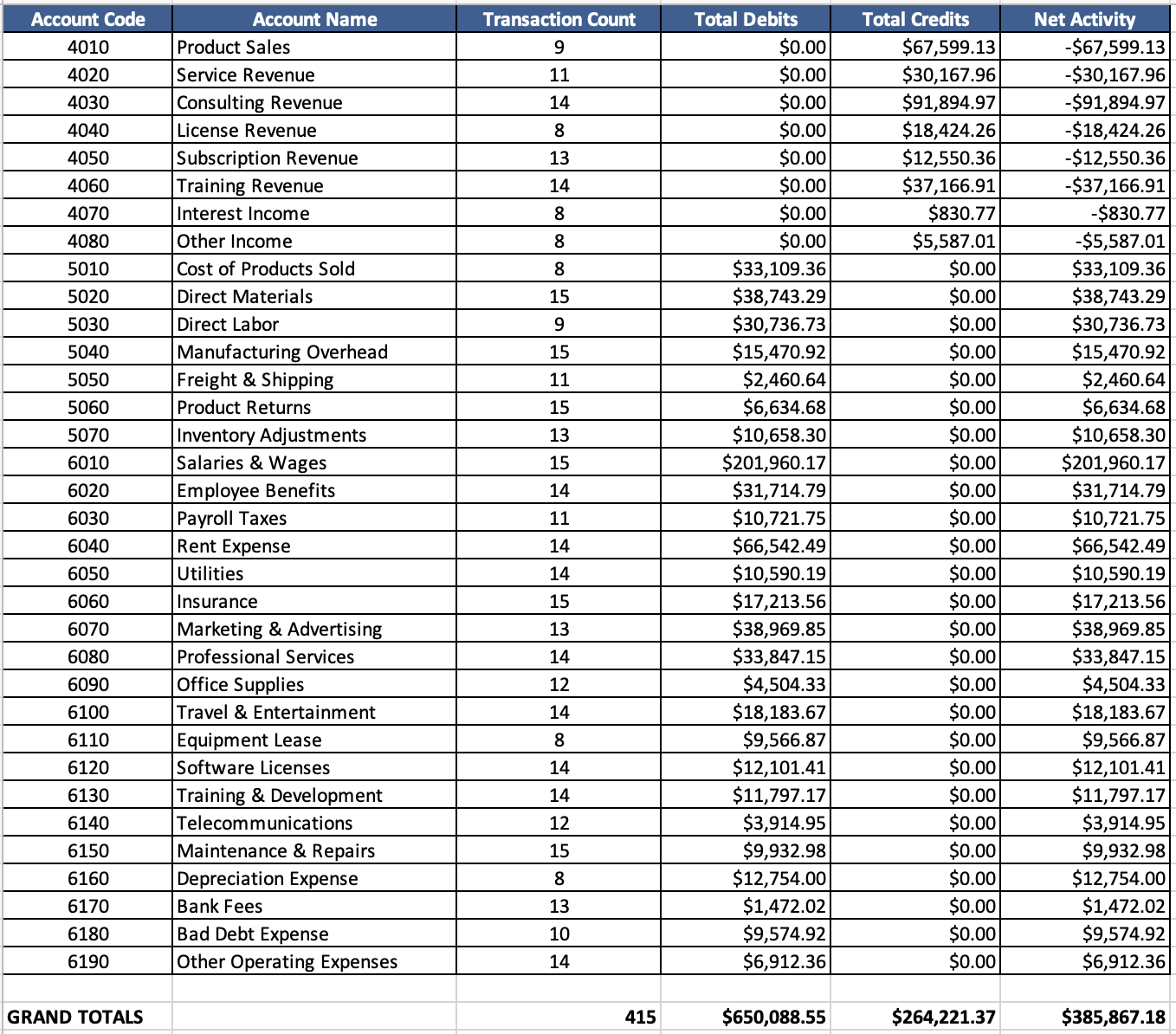
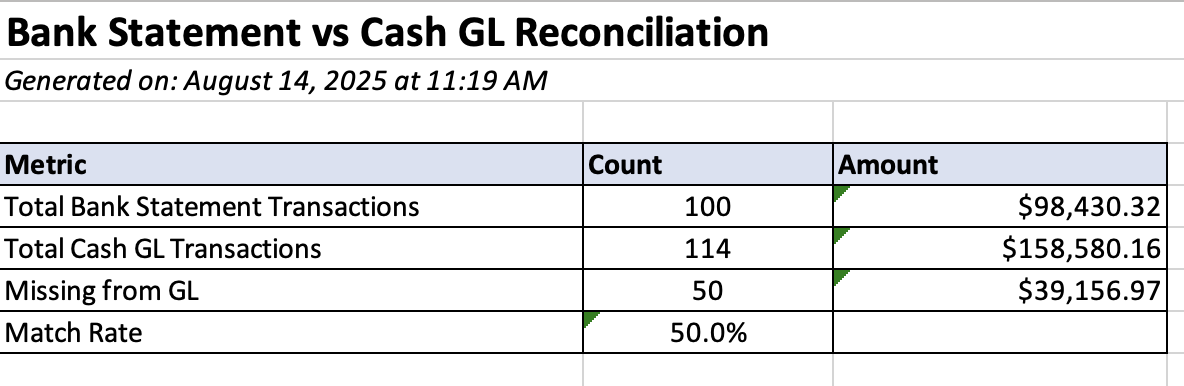
Excel Comparison Example

3rd Example: Result

Excel Comparison Result

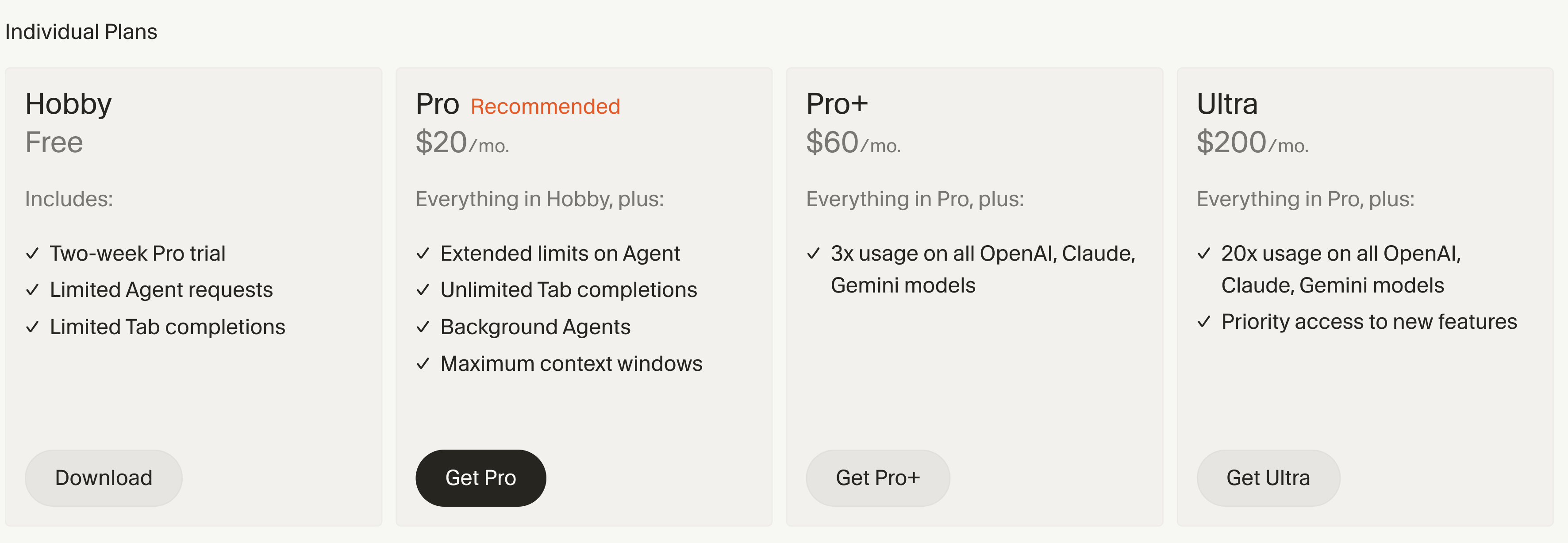
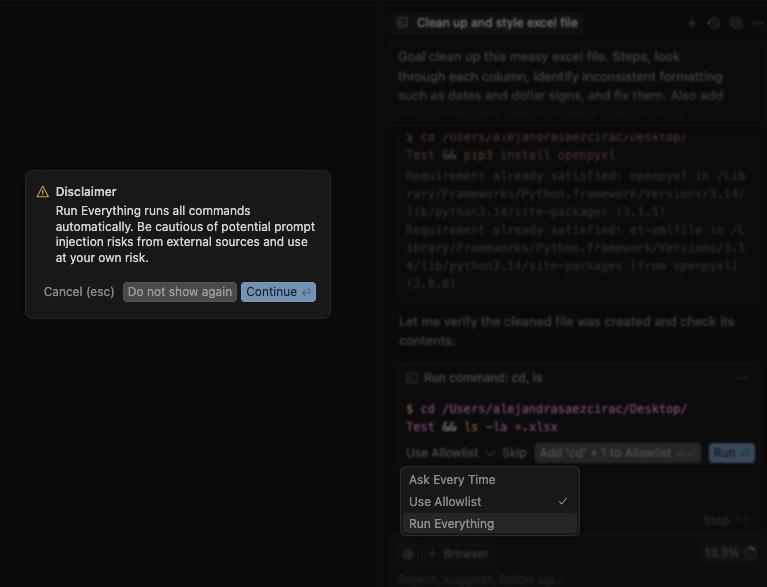
Cursor Pricing Options

Cursor 2

First Time Use

Run 1
Run 2
Run 3

Effective Prompting

1

Goal

Define what you want to achieve

2

Steps

Break down the process into specific actions

3

Output

Describe the final result you expect

1. Goal: Clean up this Excel document.
2. Steps: Analyze each column to identify its content. Fix any inconsistent formatting such as dates to make it more seamless. Add basic styling and color.
3. Output: A new Excel file.

Main Takeaways

Context is everything!
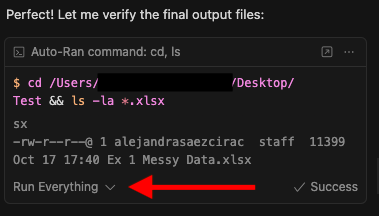
Right click the file and click "Add File to Cursor Chat"
Break it down!
Break complex tasks into smaller steps for better results.
Patience

Vibe Coding Applications

Depreciation & Amortization Schedules

Import asset data and auto-generate tax depreciation schedules using MACRS, Section 179, and bonus conventions.

Client Information Request Lists

Analyze tax summaries to automatically generate customized information requests.

Automated Footnote Population

Extract and format footnote data from your GL—debt covenants, leases, segments, related parties.

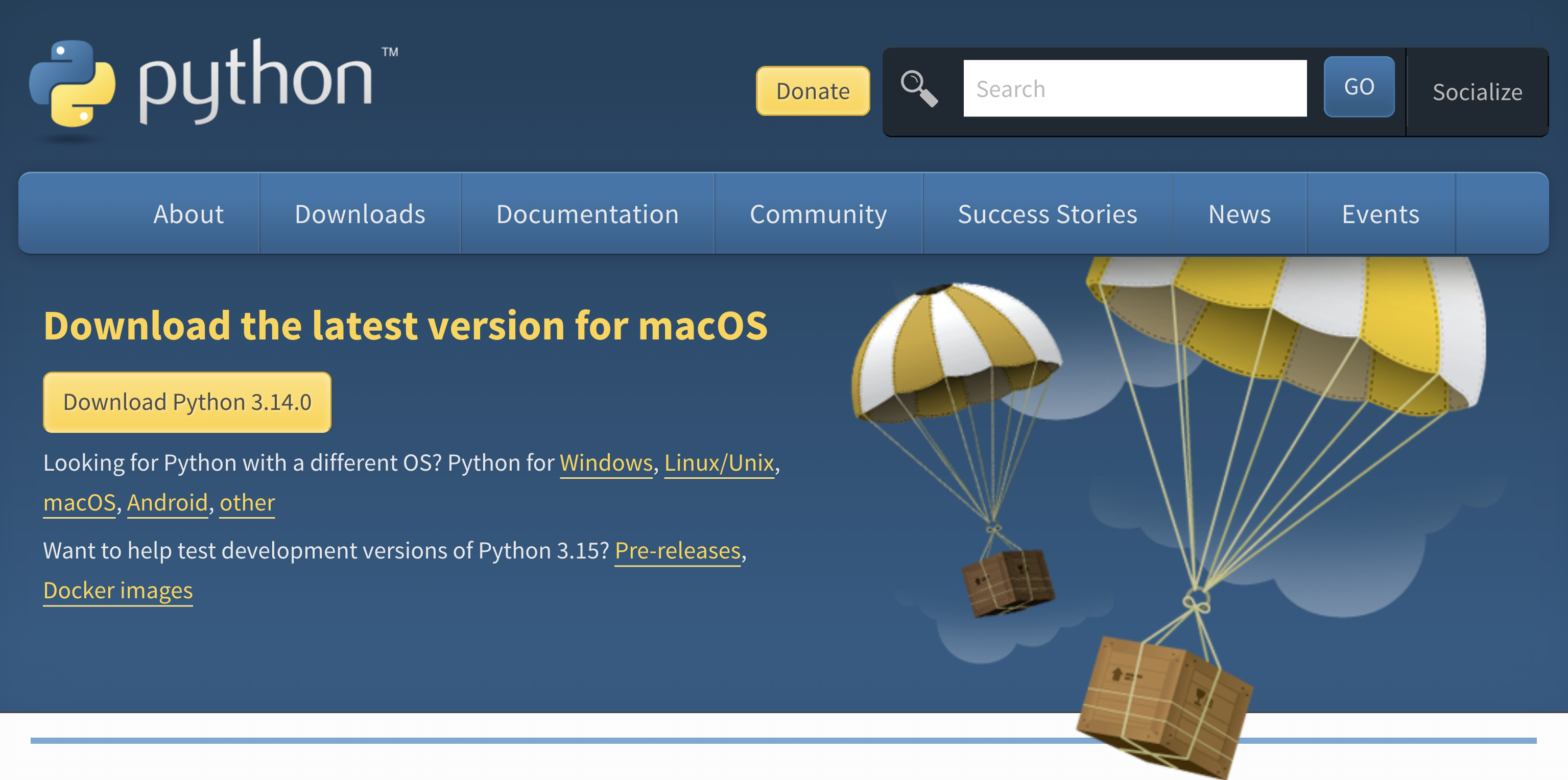
Cursor Quick Guide